
My playlist will not connect: DYONEX troubleshooting
Distinguish a catalogue-loading problem from a playback problem. This checklist helps collect useful information before changing details or reinstalling.
Identify when it fails
If no categories or channels appear after Save and connect, start with the playlist address and credentials. If the catalogue appears but a title will not open, the initial connection worked: check that title’s availability and video format. If only programme listings fail, follow the EPG guide. These are different problems; reinstalling does not identify which one you have.
Check the details without changing them
Compare the address with the original message from your authorised source. Keep http or https, the port, letter case and symbols. A complete get.php link containing credentials belongs in the M3U field; enter separate fields in the Xtream form. Avoid quotation marks, explanatory text and line breaks. Do not publish the URL when asking for help: it may provide access to your account.
What an HTTP response indicates
Keep any error code with the time of the test. A 401 usually means valid authentication is missing; a 403 can indicate an access restriction; a 404 means that path was not found. A 429 can indicate too many requests, while a 502 or 504 can indicate a temporary problem between servers. Codes guide investigation but do not alone prove that DYONEX, the provider or your connection caused the issue.
Isolate the issue and prepare a report
The Downloads page offers an open-broadcast demonstration playlist to test loading in the same DYONEX edition. Availability depends on broadcasters and location, so it is not a universal test either. If it loads but your own playlist does not, ask your provider about account validity, server availability and account limits. If neither loads, first check the device connection and whether the app reports a general error.
For support, include the device model, Android and DYONEX versions, whether M3U or Xtream fails, and the exact error. Hide usernames, passwords, private URLs and QR codes in screenshots. This helps distinguish an app issue from a server response without exposing access details.
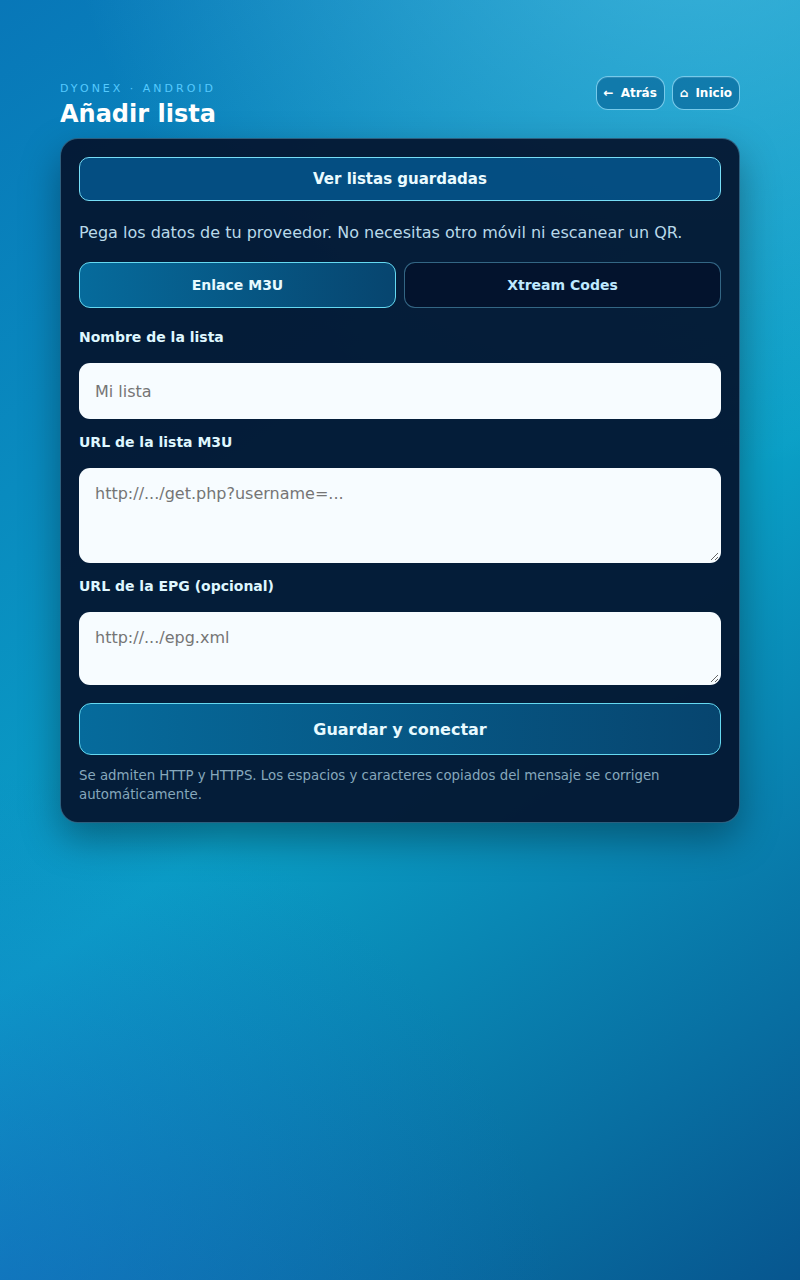
Actual DYONEX UI in a demonstration environment, with no playlists loaded. UI shown in Spanish.