
EPG in DYONEX: programmes, channels and times
Programme listings and video are separate data. Learn which EPG address you need, why some channels have no listings and what to check when times do not match.
What the guide adds
EPG describes television programmes and schedules. It does not supply video files or activate a content subscription. A channel can play without programme listings, and a listed programme may have an unavailable stream. Keeping these separate helps avoid blaming playback failures on an empty EPG field.
Use a matching listings source
If your authorised source supplies an XMLTV address, copy it into the optional EPG field when adding the playlist. It should identify programme data, not a login page or a single channel stream. Keep its private parameters. M3U and EPG channel identifiers must be matchable; a similar display name does not guarantee a match.
Check the date and time zone
Check Android’s date, time and time zone. Compare the same channel and programme with the original source, especially across midnight or daylight-saving changes. A constant offset may come from programme data or the device; changing the video URL will not correct it. Keep a specific example showing expected and displayed times.
When information is missing
If all programmes are missing, check that the EPG address is available and belongs with the connected playlist. If only some channels are missing, check whether the source covers them and how it identifies them. Use Refresh to check the playlist data again and let loading finish. Sources do not all publish the same number of days or descriptions.
When reporting an issue, say whether it affects one or all channels and give the public channel name and a time comparison. Do not send a full URL containing credentials. DYONEX displays available data; correcting schedules or expanding EPG coverage is the responsibility of its publisher.
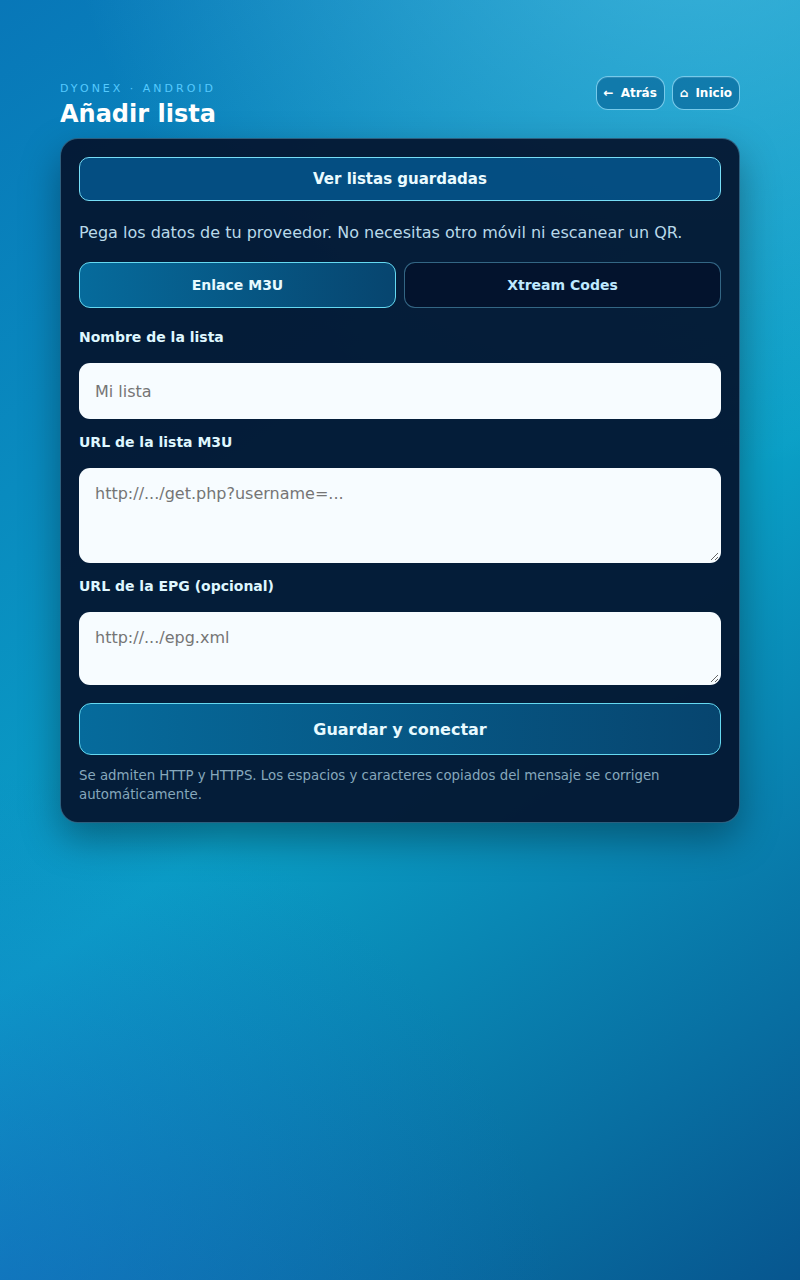
Actual DYONEX UI in a demonstration environment, with no playlists loaded. UI shown in Spanish.